Klevgrand Helper
Klevgrand Helper streamlines updates, installations and license activations for all your Klevgrand plugins and expansions. Sign in with your Klevgrand account and prepare for a smooth experience with Klevgrand Helper.
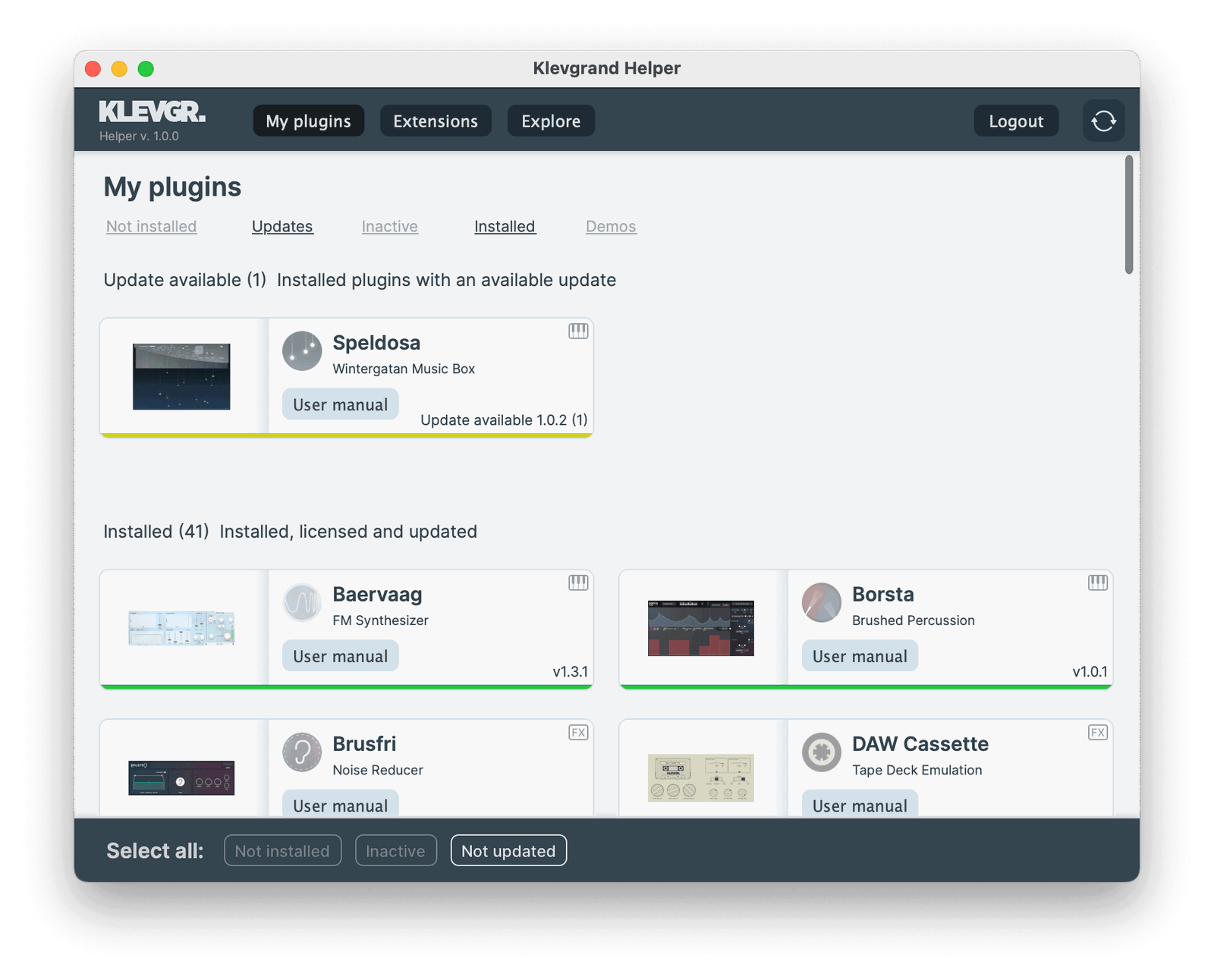
Step by step
1. Download and install Klevgrand Helper
- Download the Klevgrand Helper.
- Run the installer on your PC or drag the app to the Applications folder on your Mac.
2. Log in
- Open the application and enter your account information and password. Click Log in
3. Install and authorise
- Under My Plugins, select your plugin and click Install.
- To install multiple plugins in one go, click Not installed to select all uninstalled plugins. Click Install.
- When the installation is finished, your plugin(s) will automatically be authorised and you're ready to rock!
Klevgrand Helper Guide
Log in
Enter your account information and password in the appointed fields and click Log in.
If you have forgotten your password, click Forgot password and you'll be taken to Klevgrands plattform to reset your password.
If you don't have an account, click on the create a free account link, and you'll be taken to Klevgrands plattform to create one.
To log out, click Logout at the top right of the interface.
Install & authorise plugin after purchase
All plugins that you have a license for will show up under the tab My plugins. The uninstalled plugins are at the top under the Not Installed section.
To install and authorise a single plugin, select it by clicking it and then click Install.
To install and authorise all uninstalled plugins in one go, select them by clicking Not installed in the bottom banner, then click Install.
After installation your plugin(s) will show up with a green underline under the Installed section.
Install an update
All plugins that have an update available will show up under the My plugins tab, under the Update available section.
To install an update, select the plugin by clicking it and then click Update.
To install multiple updates at once, select Not updated, then click Update.
After installation your plugin(s) will show up with a green underline under the Installed section.
Uninstall
To uninstall and unauthorise a plugin, select it by clicking it and then click Uninstall.
Install & authorise an expansion
All expansions that you have a license for will show up in the Expansions tab. The uninstalled expansions are at the top under the Not installed section.
To install and authorise an expansion, click it to select it, then click Install.
Install a demo
All Klevgrand plugins can be installed from the Explore tab.
To install a demo, click a plugin to select it, then click Get demo.
The demo mode is fully functional but with occasional audio disruptions.
After installation, the plugin will show up under the My plugins tab, under the Demo plugins section.