Start your own multi-band adventure today

Screenshot of Klevgrand Gaffel - Synced Band Splitter - Start your own multi-band adventure today

Gaffel

Synced Band Splitter

Create multiband effects with any plugin

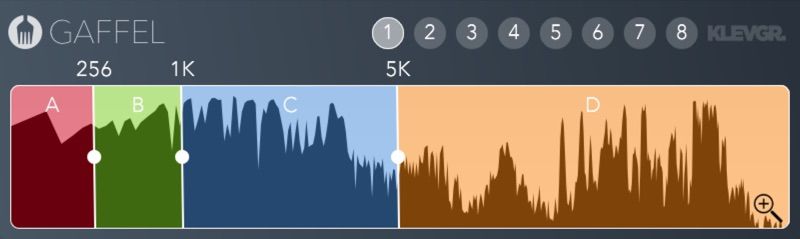
Gaffel ("Fork" in Swedish) is a simple tool that splits audio into different frequency bands. Using it on multiple channels lets you use your favorite plugins as multiband effects. The different crossover frequencies are globally synchronized between grouped instances of the plugin, making it convenient to work with in any DAW.

The classic Linkwitz-Riley crossover filter algorithm gives the sum of all bands a flat amplitude response and a smooth changing phase response.

Set up

  1. Duplicate the signal to up to four channels
  2. Add Gaffel to these channels
  3. Add any effect on only the desired frequency band(s)

Features

  • Linkwitz-Riley crossover filter algorithm
  • Frequency parameters are synchronised globally between instances
  • Supports up to 8 different groups
  • Resizable window
  • Up to four frequency bands

Technical specifications

macOSWindows

Requires macOS 10.10 or later (optimized for the M1-processor), Windows 7 (SP1) or later, running a AU, VST or AAX compatible 64-bit host.

macOS/Windows

Gaffel
AAXAUVST
$59.99Shop Now
Anatomy
Anatomy
1
2
3
1

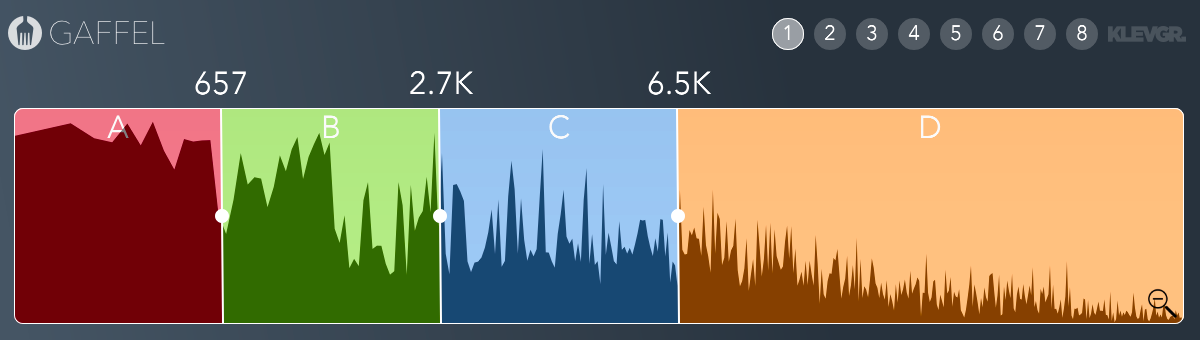
Three crossover frequencies

Frequencies will be synchronised among all instances of the plugin that belongs to the selected group (2). Hold down option key while dragging for finetuning.

2

Four frequency bands

Click to toggle a specific band on/off.

3

Eight different groups

Frequencies will only sync within the selected group

Downloads

Klevgrand Helper

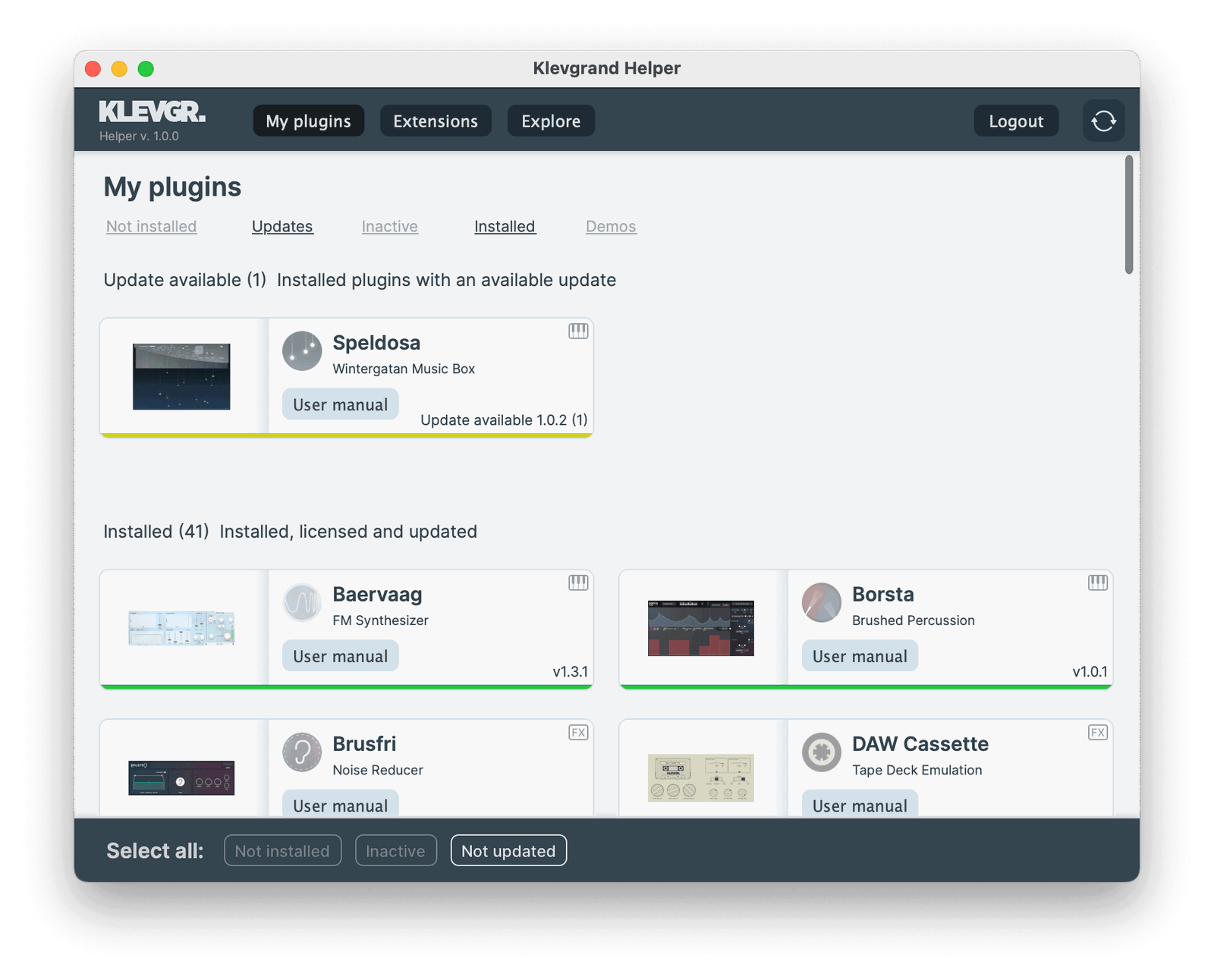
Klevgrand Helper streamlines updates, installations and license activations for all your Klevgrand plugins and expansions. Sign in with your Klevgrand account and prepare for a smooth experience with Klevgrand Helper.

UI of Klevgrand Helper

Gaffel Downloads

Legacy downloads below
Demo version == Full version
All our plugins can be downloaded and tested for free. The demo is the full version, but with occasional audio dropouts.
macOSmacOS version
Gaffel v1.0.6
Show Changelog

Gaffel

v1.0.6

  • Filter bug fix
  • Filter optimizations

v1.0.5

  • AAX Apple Silicon support
  • Improved graphics performance

v1.0.4

  • macOS binaries supports ARM (M1) CPU natively
  • New minimum macOS version is now macOS 10.10
  • Updated development framework from JUCE5 to JUCE6

v1.0.3

  • Minor fixes
  • Updated plugin development SDK version for better compatibility with modern DAWs.
  • Requires macOS 10.9
  • 64 bit only
WindowsWindows version
Gaffel v1.0.6
Show Changelog

Gaffel

v1.0.6

  • Filter bug fix
  • Filter optimizations

v1.0.5

  • AAX Apple Silicon support
  • Improved graphics performance

v1.0.4

  • macOS binaries supports ARM (M1) CPU natively
  • New minimum macOS version is now macOS 10.10
  • Updated development framework from JUCE5 to JUCE6

v1.0.3

  • Minor fixes
  • Updated plugin development SDK version for better compatibility with modern DAWs.
  • Requires macOS 10.9
  • 64 bit only
Show Legacy Downloads
WindowsWindows versionLegacy
Gaffel v1.0.2
(Unzip and open the included .exe file to start the installation)
macOSmacOS versionLegacy
Gaffel v1.0.2
(Unzip and open the included .pkg file to start the installation)
macOSmacOS versionLegacy
Gaffel v1.0.3
Show Changelog

v1.0.3

  • Minor fixes
  • Updated plugin development SDK version for better compatibility with modern DAWs.
  • Requires macOS 10.9
  • 64 bit only
WindowsWindows versionLegacy
Gaffel v1.0.3
Show Changelog

v1.0.3

  • Minor fixes
  • Updated plugin development SDK version for better compatibility with modern DAWs.
  • Requires macOS 10.9
  • 64 bit only
macOSmacOS versionLegacy
Gaffel v1.0.4
Requires macOS 10.12 or higher, running an AU, VST or AAX compatible 64-bit host.
Show Changelog

Gaffel

v1.0.4

  • macOS binaries supports ARM (M1) CPU natively
  • New minimum macOS version is now macOS 10.10
  • Updated development framework from JUCE5 to JUCE6

v1.0.3

  • Minor fixes
  • Updated plugin development SDK version for better compatibility with modern DAWs.
  • Requires macOS 10.9
  • 64 bit only
macOSmacOS versionLegacy
Gaffel v1.0.4
Requires macOS 10.10 or 10.11, running a AU, VST or AAX compatible 64-bit host.
Show Changelog

Gaffel

v1.0.4

  • macOS binaries supports ARM (M1) CPU natively
  • New minimum macOS version is now macOS 10.10
  • Updated development framework from JUCE5 to JUCE6

v1.0.3

  • Minor fixes
  • Updated plugin development SDK version for better compatibility with modern DAWs.
  • Requires macOS 10.9
  • 64 bit only
WindowsWindows versionLegacy
Gaffel v1.0.4
Requires Windows 7 with SP1 or higher, running a VST or AAX compatible 64-bit host.
Show Changelog

Gaffel

v1.0.4

  • macOS binaries supports ARM (M1) CPU natively
  • New minimum macOS version is now macOS 10.10
  • Updated development framework from JUCE5 to JUCE6

v1.0.3

  • Minor fixes
  • Updated plugin development SDK version for better compatibility with modern DAWs.
  • Requires macOS 10.9
  • 64 bit only
macOSmacOS versionLegacy
Gaffel v1.0.5
Show Changelog

Gaffel

v1.0.5

  • AAX Apple Silicon support
  • Improved graphics performance

v1.0.4

  • macOS binaries supports ARM (M1) CPU natively
  • New minimum macOS version is now macOS 10.10
  • Updated development framework from JUCE5 to JUCE6

v1.0.3

  • Minor fixes
  • Updated plugin development SDK version for better compatibility with modern DAWs.
  • Requires macOS 10.9
  • 64 bit only
WindowsWindows versionLegacy
Gaffel v1.0.5
Show Changelog

Gaffel

v1.0.5

  • AAX Apple Silicon support
  • Improved graphics performance

v1.0.4

  • macOS binaries supports ARM (M1) CPU natively
  • New minimum macOS version is now macOS 10.10
  • Updated development framework from JUCE5 to JUCE6

v1.0.3

  • Minor fixes
  • Updated plugin development SDK version for better compatibility with modern DAWs.
  • Requires macOS 10.9
  • 64 bit only
Gaffel user manual
The user manual for Gaffel