OneShot2

Drum Sampler

Your next big hit

🎉 Updated to v1.0.3!

More instrument slots, velocity-triggered envelopes, new filter types and more!

Note that presets saved with v1.0.3 will not open in earlier versions of OneShot.

⭐️⭐️⭐️⭐️⭐️ 5/5 star review in Sound On Sound!

Meet your newzz drum companion OneShot! More than a drum sampler, this is a percussive workstation specifically designed for one-shots (single strike samples). Every detail in the workflow design and sound quality has been given a lot of care and consideration, making OneShot a percussion powerhouse that is both fun to play, excellent sounding and stuffed with purposeful features.

Following the tracks of percussion innovations like Slammer, Borsta, Ting and Skaka, OneShot is Klevgrand’s biggest and most capable drum instrument yet. Packed with lots of handy features to give any drums an organic feel, like humanize settings, velocity layering and round robin. Plus, it comes with more features like choking, filters, envelopes, an extensive effects system, and multi-out routing. But don't worry, even with all these features, OneShot is still super-easy to use, flexible, and intuitive, offering an extensive hub for all your drumming needs, while staying true to the recognizable spirit and quick workflow associated with Klevgrand.

OneShot’s innovative sample playback engine gives you complete control over your samples, and lets you stay flexible. Each sound slot comes with its own mixer channel, allowing you to tweak effects, adjust levels, and route audio exactly how you want it. Plus, with support for multi-output, you can take your sound even further by processing individual channels in your DAW.

Over the last four years we've discovered that many music creators out there want to use drum sounds in a similar way to how we like it at Klevgrand. This has given us the confidence to develop a fuller concept, OneShot, that will make our existing users feel at home and also welcome new Klevgrand users.

– Tobias Engström, CEO & Co-founder

BYOB (Bring your own beat)

OneShot isn't just about the pre-packaged sounds. You can easily import your own samples just by dropping audio files into OneShot, letting the built-in smartness do the heavy lifting and automatically organize the samples into playable instruments, just a click away.

More cowbell!

With OneShot, you'll get a large volume of high-quality drum sets and percussion sounds from start, meticulously recorded using multiple velocity layers and round-robin samples. But the fun doesn't stop there – with additional sound packs available for purchase, including collaborations with top artists, you'll never run out of inspiration. From classic drum kits to unique percussion instruments, OneShot has everything you need to take your beats to the next level.


Features

  • A large collection of acoustic and electronic sounds, with over 8000 meticulously recorded samples from different styles and locations
  • Fast workflow for quickly creating a playable kit
  • Over 200 curated presets in many different acoustic and electronic styles
  • Super realistic drums with velocity layering, round robin, humanize and choking
  • Add your own samples easily by using drag-and-drop
  • Smart sorting when importing several instruments at once
  • Built-in effects: EQ, compressor, bus compressor, distortion, algorithmic reverb, convolution reverb, stereo widener, bitcrusher, delay and finalizer
  • Multi-out routing for further processing in the DAW
  • v1.0.3Load up to 24 instrument slots at once
  • Separate controls for volume, pan, pitch, FX inserts, FX sends and more on each instrument slot
  • Two FX insert slots per instrument slot
  • Two parallel FX busses, each with two FX insert slots and volume control
  • v1.0.3Velocity-modulated attack time
  • v1.0.3Three different filter types
  • v1.0.3Velocity-modulated filter frequency

Technical specifications

macOSWindows

macOS/Windows

OneShot2
AUAAXVST3
$199.00$119.00Shop Now
Anatomy

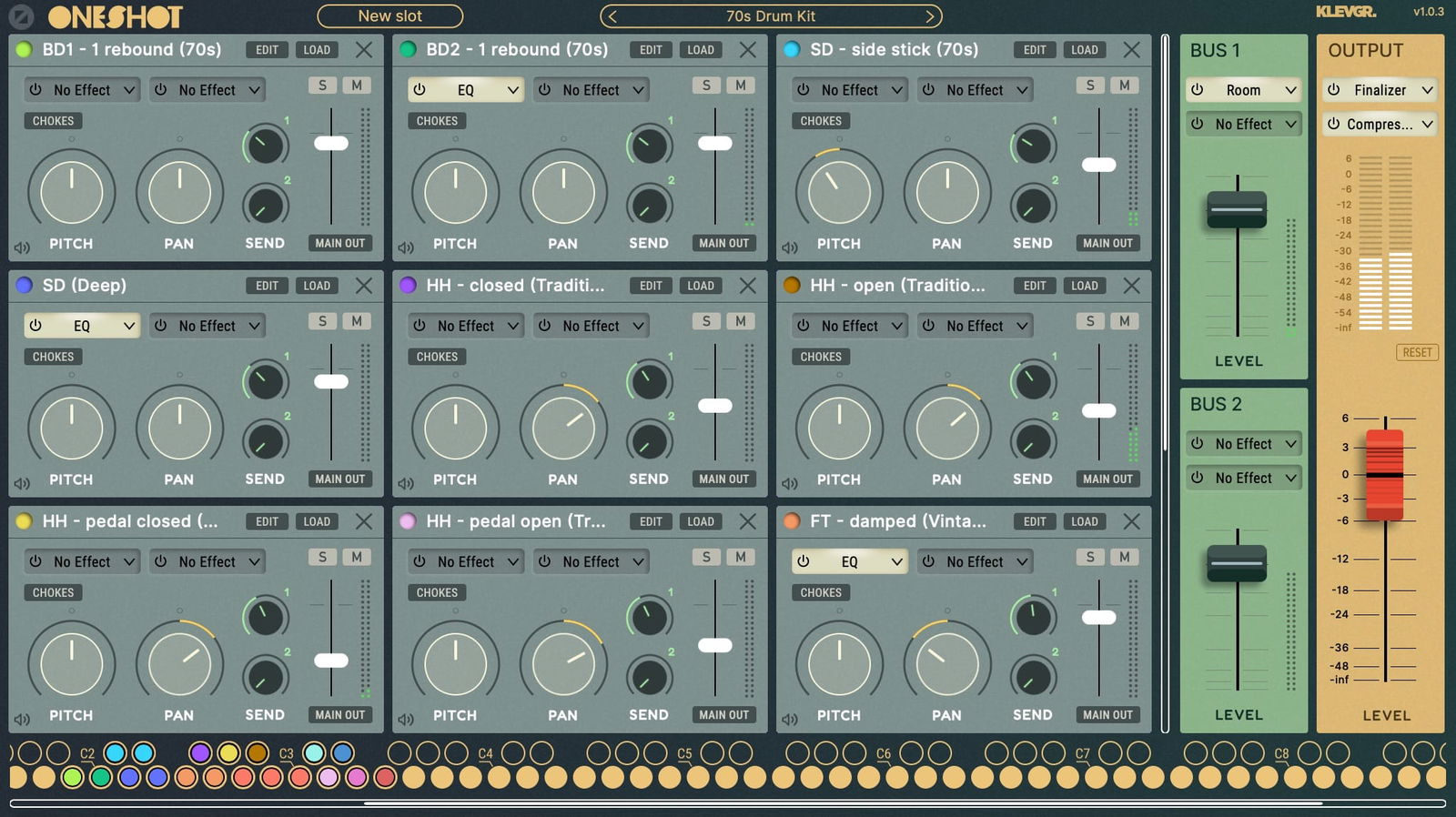
Main view

Main view
1
2
3
4
1

Slot machine

A Slot consists of one or multiple audio files, for example a snare with several samples of different velocity. Each slot can be triggered by multiple Triggers with different settings.

2

Jet-set presets

Over 200 curated presets in both acoustic and electronic styles, sorted in many different genres.

3

B1 & B2: It's FX time!

Two parallel FX busses, each with two FX insert slots and volume control.

4

Trigger warning

The Triggers are mapped to MIDI notes and contain individual envelopes, humanize settings and more.

Trigger settings

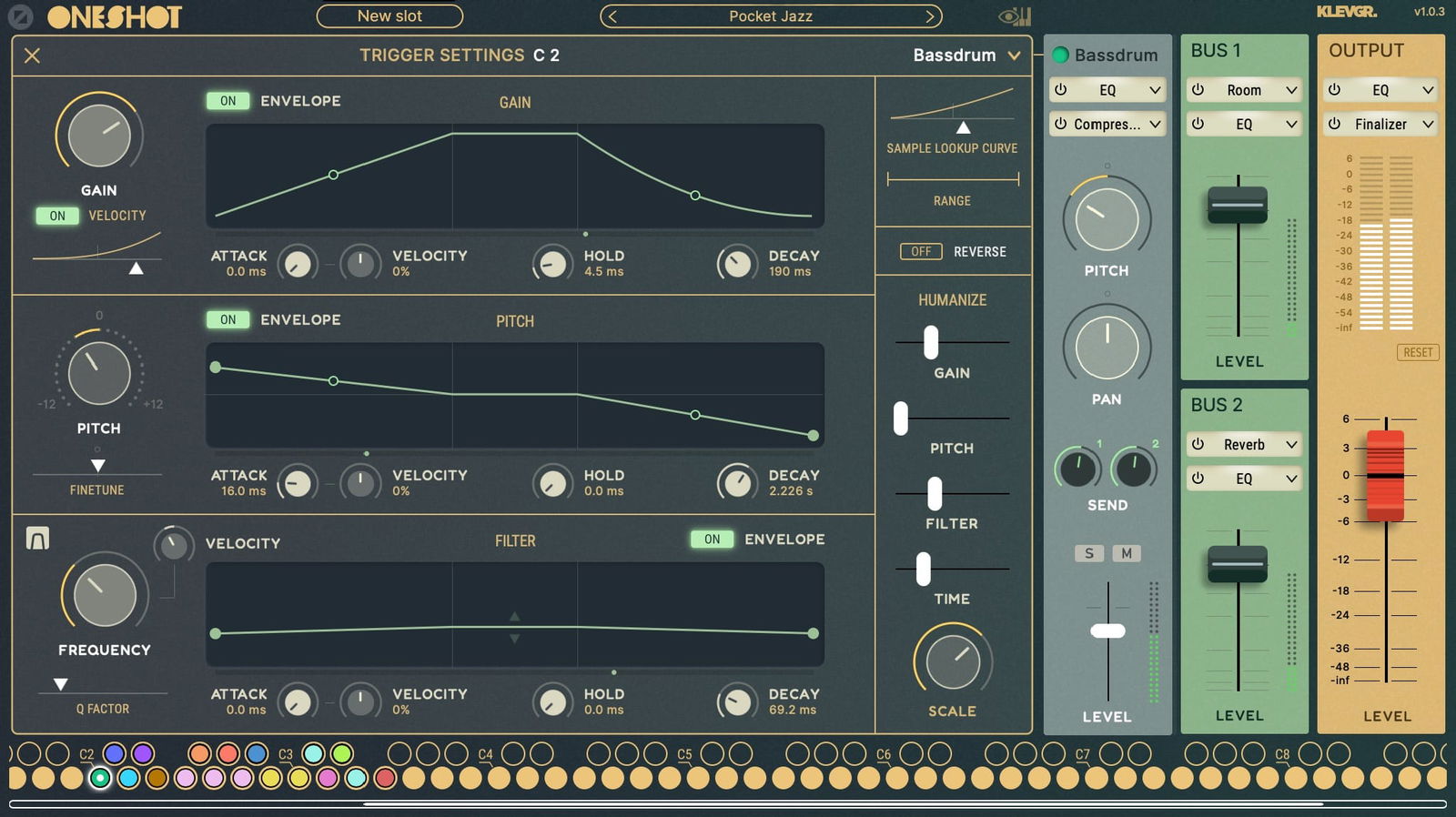
Trigger settings
1
2
3
4
1

Sneak in, sneak out

Powerful envelope settings for each individual trigger.

2

Go high, low, or both

Do your homework, pitch your drums accordingly.

3

Filter bubble

Powerful filter envelope, if you for example would like to have your toms say "quack". (we know you want that). New filter types available from v1.0.3!

4

Perfect imperfection

Humanize settings for adding life to any dull beat programming.

Motion engine

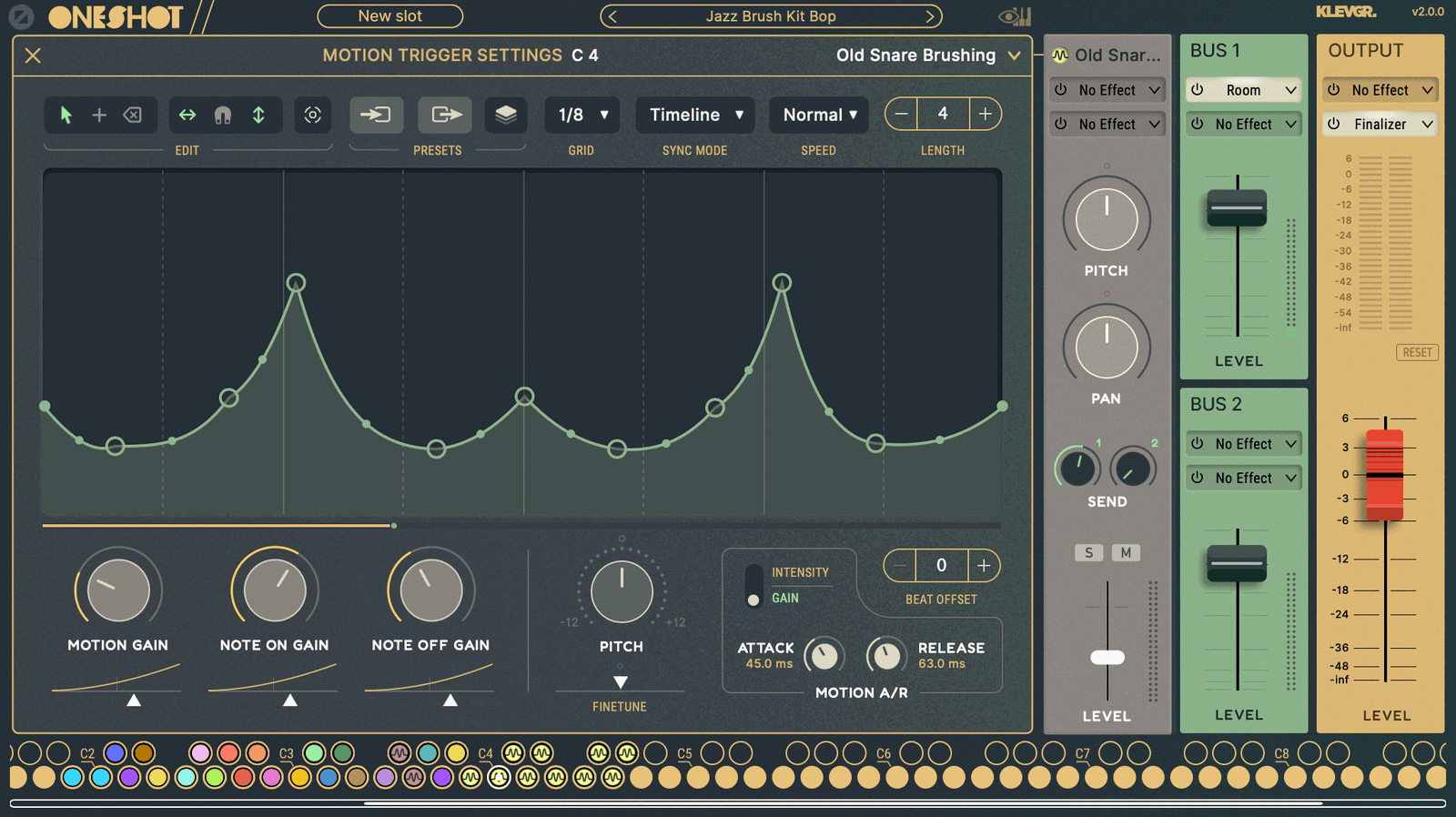
Motion engine
1
2
3
1

Loco motion

2

Synchronize your patches

3

On and off

Downloads

Klevgrand Helper

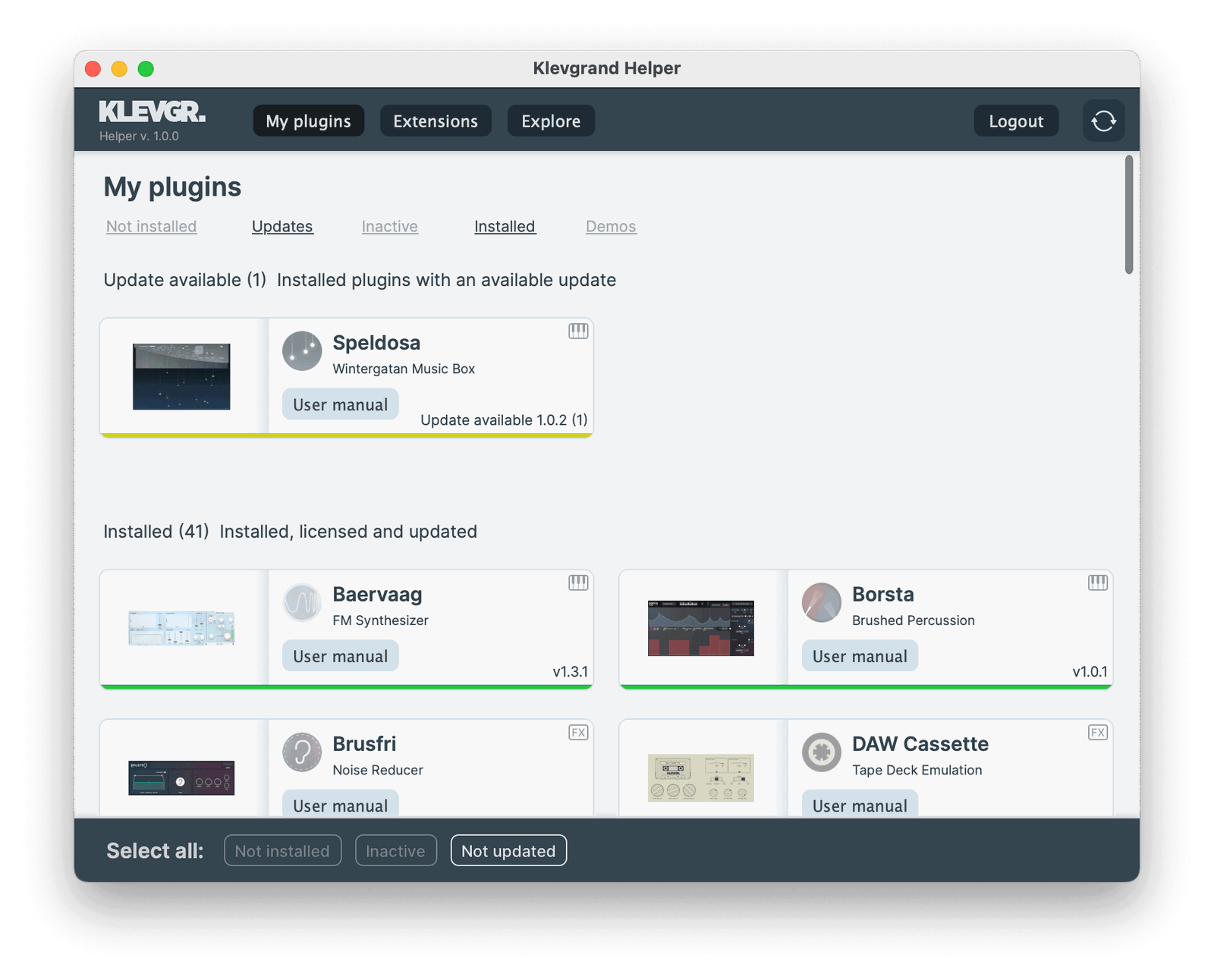
Klevgrand Helper streamlines updates, installations and license activations for all your Klevgrand plugins and expansions. Sign in with your Klevgrand account and prepare for a smooth experience with Klevgrand Helper.

UI of Klevgrand Helper

OneShot2 Downloads

Legacy downloads below
Demo version == Full version
All our plugins can be downloaded and tested for free. The demo is the full version, but with occasional audio dropouts.
macOSmacOS version
OneShot2 v1.0.3
Show Changelog

OneShot

v1.0.3 2024-06-05

  • Now supports up to 24 slots
  • Added more filter types (High Pass and Band Pass)
  • Envelope attack times can be modulated by velocity
  • Filter frequency can be modulated by velocity
  • Minor UI updates
  • Demo mode fix
  • NOTE: Presets saved with v1.0.3 will not open in earlier versions of OneShot

v1.0.2 2024-03-07

  • Optimized preset loading times
  • Fixed an issue with backwards samples

v1.0.1 2024-02-23

  • Fixed macOS 10.10/10.11 compability issue

v1.0.0

  • Initial release
WindowsWindows version
OneShot2 v1.0.3
Show Changelog

OneShot

v1.0.3 2024-06-05

  • Now supports up to 24 slots
  • Added more filter types (High Pass and Band Pass)
  • Envelope attack times can be modulated by velocity
  • Filter frequency can be modulated by velocity
  • Minor UI updates
  • Demo mode fix
  • NOTE: Presets saved with v1.0.3 will not open in earlier versions of OneShot

v1.0.2 2024-03-07

  • Optimized preset loading times
  • Fixed an issue with backwards samples

v1.0.1 2024-02-23

  • Fixed macOS 10.10/10.11 compability issue

v1.0.0

  • Initial release
Show Legacy Downloads
macOSmacOS versionLegacy
OneShot2 v1.0.1
Show Changelog

OneShot

v1.0.1 2024-02-23

  • Fixed macOS 10.10/10.11 compability issue

v1.0.0

  • Initial release
WindowsWindows versionLegacy
OneShot2 v1.0.1
Show Changelog

OneShot

v1.0.1 2024-02-23

  • Fixed macOS 10.10/10.11 compability issue

v1.0.0

  • Initial release
macOSmacOS versionLegacy
OneShot2 v1.0.2
Show Changelog

OneShot

v1.0.2 2024-03-07

  • Optimized preset loading times
  • Fixed an issue with backwards samples

v1.0.1 2024-02-23

  • Fixed macOS 10.10/10.11 compability issue

v1.0.0

  • Initial release
WindowsWindows versionLegacy
OneShot2 v1.0.2
Show Changelog

OneShot

v1.0.2 2024-03-07

  • Optimized preset loading times
  • Fixed an issue with backwards samples

v1.0.1 2024-02-23

  • Fixed macOS 10.10/10.11 compability issue

v1.0.0

  • Initial release
OneShot user manual
The user manual for OneShot